UW Composites Analysis · Cure Simulation
Composite Cure Simulation: Exotherm, Thermal Lag and Cure Cycles
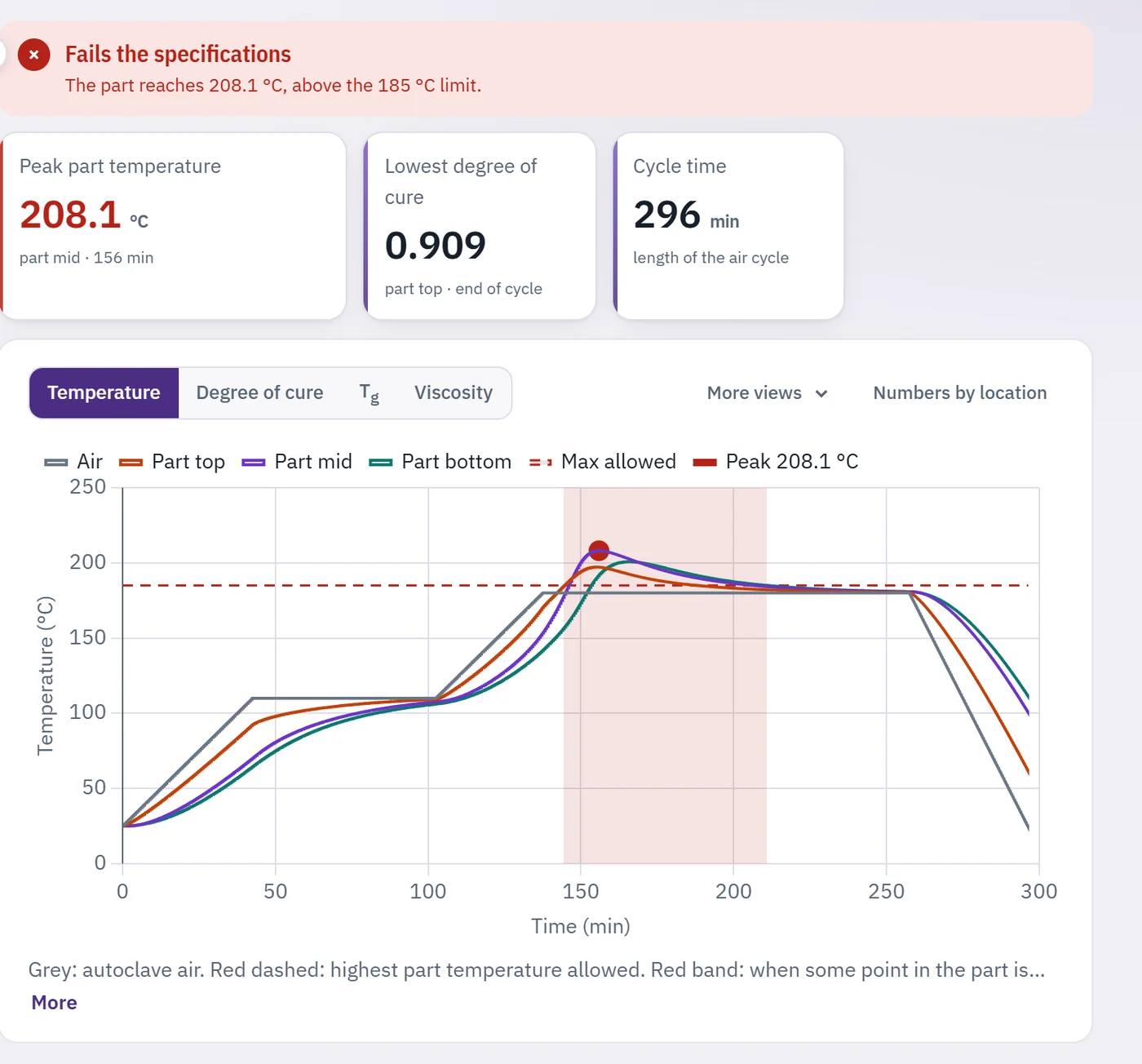
Apply an autoclave air cycle to a composite part on a tool and watch it cure. The Cure Simulation solves heat conduction and the resin cure reaction through the thickness, so you can see thermal lag, exotherm overshoot and the degree of cure at every point, and check the result against temperature and cure specifications.
Open the Cure Simulation →Free, runs in your browser, no installation or login.
What you can do
- Model a solid laminate or a sandwich panel on an Invar, steel, aluminum or composite tool.
- Build the cure cycle from ramps and holds, and set the heat transfer on the bag and tool sides.
- Follow temperature, degree of cure, glass transition temperature and viscosity over time at any depth.
- Check the peak part temperature and the lowest degree of cure against the specifications.
- Explore one-click examples, such as a thick part that overheats and the cure cycle that fixes it.
How it works
ρ cp ∂T/∂t = ∂/∂z (k33 ∂T/∂z) + Q, Q = HR ρm Vm dα/dt
One-dimensional heat conduction through the part, core and tool, with the reaction heat released in the part.
−k ∂T/∂n = h1,2 (T − Tair)
Convection to the autoclave air on the bag side and under the tool.
Hexcel 8552 cure kinetics, specific heat and conductivity follow Van Ee and Poursartip (2009); CYCOM 890RTM follows Khoun, Centea and Hubert (2010) and Struzziero, Remy and Skordos (2019). AS4 fiber and tool properties follow Johnston (1997). Every page of the app lists its full equations and sources under Equations.
Questions to explore
- Why does a thick part overshoot the cure temperature, and where in the thickness is it hottest?
- Does a slower heating rate or an intermediate hold control the exotherm better?
- How does a heavy Invar tool change the cure compared with a light composite tool?